Showing posts with label lambda IDE. Show all posts

Monday, November 12, 2018

Serverless Security: Putting it on Autopilot

Ack: This article is a remix of stuff learned from personal experience as well as from multiple other sources on serverless security. I cannot list down or acknowledge all of them here; nevertheless, special thanks should go to The Register, Hacker Noon, PureSec, and the Serverless Status and Serverless (Cron)icle newsletters.

We all love to imagine that our systems are secure. And then...

BREACH!!!

A very common nightmare shared by every developer, sysadmin and, ultimately, CISO.
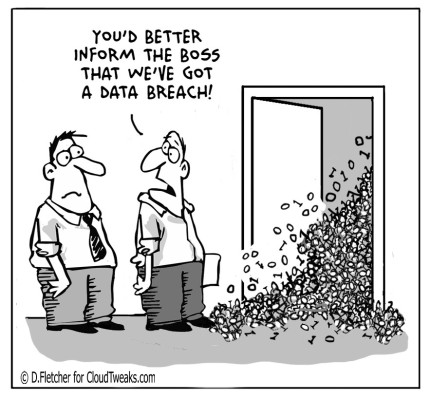
You'd better inform the boss...

Inevitable?

One basic principle of computer security states that no system can attain absolute security. Just like people: nobody is perfect. Not unless it is fully isolated from the outside; which, by today's standards, is next to impossible - besides, what's the point of having a system that cannot take inputs and provide outputs?

Whatever advanced security precaution you take, attackers will eventually find a way around. Even if you use the most stringent encryption algorithm with the longest possible key size, attackers will eventually brute-force their way through; although it could be time-wise infeasible at present, who can guarantee that a bizaare technical leap would render it possible tomorrow, or the next day?

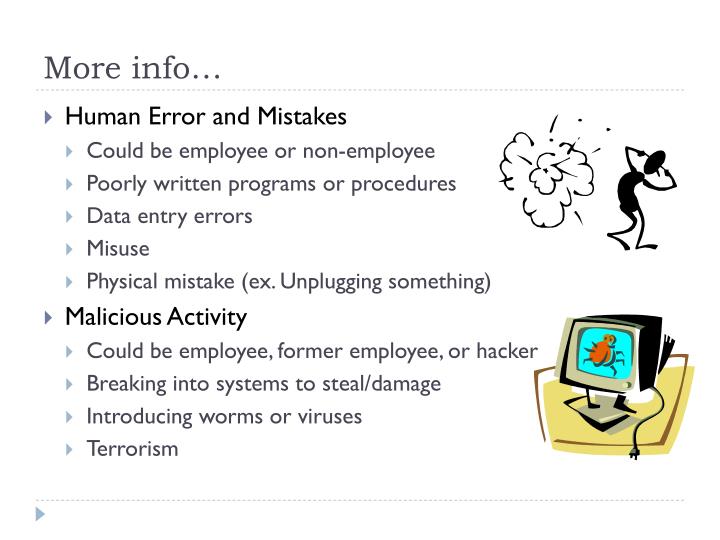
But it's not the brute-force that you should really be worried about: human errors are way more common, and can have devastating effects on systems security; much more so than a brute-forced passkey. Just have a peek at this story where some guys just walked into the U.S. IRS building and siphoned out millions of dollars, without using a single so-called "hacking" technique.

As long as systems are made and operated by people—who are error-prone by nature—they will never be truly secure.
Remember those old slides from college days?

So, are we doomed?

No.

Ever seen the insides of a ship?

How its hull is divided into compartments—so that one leaking compartment does not cause the whole ship to sink?

People often apply a similar concept in designing software: multiple modules so that one compromised module doesn't bring the whole system down.

A ship's watertight hull compartments

Combined with the principle of least privilege, this means that a component will compromise the least possible degree of security—ideally the attacker will only be able to wreak havoc within the bounds of the module's security scope, never beyond.

Reducing the blast radius of the component, and consequently the attack surface that it exposes for the overall system.

A security sandbox, you could say.

And a pretty good one at that.

PoLP: The Principle of Least Privilege

Never give someone - or something - more freedom than they need.

More formally,

Every module must be able to access only the information and resources that are necessary for its legitimate purpose. - Wikipedia

This way, if the module misbehaves (or is forced to misbehave, by an entity with malicious intent—a hacker, in English), the potential harm it can cause is minimized; without any preventive "action" being taken, and even before the "breach" is identified!

It never gets old

While the principle was initially brought up in the context of legacy systems, it is even more so applicable for "modern" architectures; SOA (well, maybe not so "modern"), microservices, and FaaS (serverless functions, hence serverless security) as well.

The concept is pretty simple: use the underlying access control mechanisms to restrict the permissions available for your "unit of execution"; may it be a simple HTTP server/proxy, web service backend, microservice, container, or serverless function.

Meanwhile, in the land of no servers...

With increased worldwide adoption of serverless technologies, the significance of serverless security, and the value of our PoLP, is becoming more obvious than ever.

Server-less = effort-less

Not having to provision and manage the server (environment) means that serverless devops can proceed at an insanely rapid pace. With CI/CD in place, it's just a matter of code, commit and push; everything would be up and running within minutes, if not seconds. No SSH logins, file uploads, config syncs, service restarts, routing shifts, or any of the other pesky devops chores associated with a traditional deployment.

"Let's fix the permissions later."

Alas, that's a common thing to hear among those "ops-free" devs (like myself). You're in a haste to push the latest updates to staging, and the "easy path" to avoid a plethora of "permission denied" errors is to relax the permissions on your FaaS entity (AWS Lambda, Azure Function, whatever).

Staging will soon migrate to prod. And so will your "over-permissioned" function.

And it will stay there. Far longer than you think. You will eventually shift your traffic to updated versions, leaving behind the old one untouched; in fear of breaking some other dependent component in case you step on it.

And then come the sands of time, covering the old function from everybody's memories.

An obsolete function with unpatched dependencies and possibly flawed logic, having full access to your cloud resources.

A serverless time bomb, if there ever was one.

Waiting for the perfect time... to explode

Yes, blast radius; again!

If we adhere to the least privilege principle, right from the staging deployment, it would greatly reduce the blast radius: by limiting what the function is allowed to do, we automatically limit the "extent of exploitation" upon the rest of the system if its control ever falls into the wrong hands.

Nailing serverless security: on public cloud platforms

These things are easier said than done.

At the moment, among the leaders of public-cloud FaaS technology, only AWS has a sufficiently flexible serverless security model. GCP automatically assigns a default project-level Cloud Platform service account to all its functions in a given project, meaning that all your functions will be in one basket in terms of security and access control. Azure's IAM model looks more promising, but it still lacks the cool stuff like automatic role-based runtime credential assignments available in both AWS and GCP.

AWS has applied its own IAM role-based permissions model for its Lambda functions, granting users the flexibility to define a custom IAM role—with fully customizable permissions—for every single Lambda function if so desired. It has an impressive array of predefined roles that you can extend upon, and has well-defined strategies for scoping permission to resource or principal categories, merging rules that refer to the same set of resources or operations, and so forth.

This whole hierarchy finally boils down to a set of permissions, each of which takes a rather straightforward format:

{
    "Effect": "Allow|Deny",
    "Action": "API operation matcher (pattern), or array of them",
    "Resource": "entity matcher (pattern), or array of them"
}

In English, this simply means:

Allow (or deny) an entity (user, EC2 instance, lambda; whatever) that possesses this permission, to perform the matching API operation(s) against the matching resource(s).

(There are non-mandatory fields Principal and Condition as well, but we'll skip them here for the sake of brevity.)

Okay, okay! Time for some examples.

{
    "Effect": "Allow",
    "Action": "s3:PutObject",
    "Resource": "arn:aws:s3:::my-awesome-bucket/*"
}

This allows the assignee to put an object (s3:PutObject) into the bucket named my-awesome-bucket.

{
    "Effect": "Allow",
    "Action": "s3:PutObject",
    "Resource": "arn:aws:s3:::my-awesome-*"
}

This is similar, but allows the put to be performed on any bucket whose name begins with my-awesome-.

{
    "Effect": "Allow",
    "Action": "s3:*",
    "Resource": "*"
}

This allows the assignee to do any S3 operation (get/put object, delete object, or even delete bucket) against any bucket in its owning AWS account.

And now the silver bullet:

{
    "Effect": "Allow",
    "Action": "*",
    "Resource": "*"
}

Yup, that one allows oneself to do anything on anything in the AWS account.

The silver bullet

Kind of like the AdministratorAccess managed policy.

And if your principal (say, lambda) gets compromised, the attacker effectively has admin access to your AWS account!

A serverless security nightmare. Needless to say.

To be avoided at all cost.

Period.

In that sense, the best option would be a series of permissions of the first kind; ones that are least permissive (most restricrive) and cover a narrow, well-defined scope.

How hard can that be?

The caveat is that you have to do this for every single operation within that computation unit—say lambda. Every single one.

And it gets worse when you need to configure event sources for triggering those units.

Say, for an API Gateway-triggered lambda, where the API Gateway service must be granted permission to invoke your lambda in the scope of a specific APIG endpoint (in CloudFormation syntax):

{
  "Type": "AWS::Lambda::Permission",
  "Properties": {
    "Action": "lambda:InvokeFunction",
    "FunctionName": {
      "Ref": "LambdaFunction"
    },
    "SourceArn": {
      "Fn::Sub": [
        "arn:aws:execute-api:${AWS::Region}:${AWS::AccountId}:${__ApiId__}/*/${__Method__}${__Path__}",
        {
          "__Method__": "POST",
          "__Path__": "/API/resource/path",
          "__ApiId__": {
            "Ref": "RestApi"
          }
        }
      ]
    },
    "Principal": "apigateway.amazonaws.com"
  }
}

Or for a Kinesis stream-powered lambda, in which case things get more complicated: the Lambda function requires access to watch and pull from the stream, while the Kinesis service also needs permission to trigger the lambda:

  "LambdaFunctionExecutionRole": {
    "Type": "AWS::IAM::Role",
    "Properties": {
      "ManagedPolicyArns": [
        "arn:aws:iam::aws:policy/service-role/AWSLambdaBasicExecutionRole"
      ],
      "AssumeRolePolicyDocument": {
        "Version": "2012-10-17",
        "Statement": [
          {
            "Action": [
              "sts:AssumeRole"
            ],
            "Effect": "Allow",
            "Principal": {
              "Service": [
                "lambda.amazonaws.com"
              ]
            }
          }
        ]
      },
      "Policies": [
        {
          "PolicyName": "LambdaPolicy",
          "PolicyDocument": {
            "Statement": [
              {
                "Effect": "Allow",
                "Action": [
                  "kinesis:GetRecords",
                  "kinesis:GetShardIterator",
                  "kinesis:DescribeStream",
                  "kinesis:ListStreams"
                ],
                "Resource": {
                  "Fn::GetAtt": [
                    "KinesisStream",
                    "Arn"
                  ]
                }
              }
            ]
          }
        }
      ]
    }
  },
  "LambdaFunctionKinesisTrigger": {
    "Type": "AWS::Lambda::EventSourceMapping",
    "Properties": {
      "BatchSize": 100,
      "EventSourceArn": {
        "Fn::GetAtt": [
          "KinesisStream",
          "Arn"
        ]
      },
      "StartingPosition": "TRIM_HORIZON",
      "FunctionName": {
        "Ref": "LambdaFunction"
      }
    }
  },
  "KinesisStreamPermission": {
    "Type": "AWS::Lambda::Permission",
    "Properties": {
      "Action": "lambda:InvokeFunction",
      "FunctionName": {
        "Ref": "LambdaFunction"
      },
      "SourceArn": {
        "Fn::GetAtt": [
          "KinesisStream",
          "Arn"
        ]
      },
      "Principal": "kinesis.amazonaws.com"
    }
  }

So you see, with this granularity, comes great power as well as great responsibility. One missing permission—heck, one mistyped letter—and it's 403 AccessDeniedException.

No easy way; you just have to track down every AWS resource triggering or accessed by your function, look up the docs, pull out your hair, and come up with the necessary permissions.

But... but... that's too much work!

Yup, it is. If you're doing it manually.

But who drives manual these days? :)

Fortunately there are quite a few options, if you're already into automating stuff:

serverless-puresec-cli: thanks PureSec!

If you're using the famous Serverless Framework - which means you're already covered on the trigger permissions front - there's the serverless-puresec-cli plugin from Puresec.

Puresec

The plugin can statically analyze your lambda code and generate a least-privilege role. Looks really cool, but the caveat is that you have to run the serverless puresec gen-roles command before every deployment with code changes; I couldn't yet find a way to run it automatically - during serverless deploy, for example. Worse, it just prints the generated roles into stdout; so you have to manually copy-paste it into serverless.yml, or use some other voodoo to actually inject it into the deployment configuration (hopefully things would improve in the future :))

AWS Chalice: from the Gods

If you're a Python fan, Chalice is capable of auto-generating permissions for you, natively. Chalice is awesome in many aspects; super-fast deployments, annotation-driven triggers, little or no configurations to take care of, and so forth.

AWS Chalice

However, despite being a direct hand-down from the AWS gods, it seems to have missed the word "minimal" when it comes to permissions; if you have the code to list the contents of some bucket foo, it will generate permissions for listing content of all buckets in the AWS account ("Resource": "*" instead of "Resource": "arn:aws:s3:::foo/*"), not just the bucket you are interested in. Not cool!

No CLI? go for SLAppForge Sigma

If you're a beginner, or not that fond of CLI tooling, there's Sigma from SLAppForge.

SLAppForge Sigma

Being a fully-fledged browser IDE, Sigma will automatically analyze your code as you compose (type or drag-n-drop) it, and derive the necessary permissions—for the Lambda runtime as well as for the triggers—so you are fully covered. The recently introduced Permission Manager also allows you to modify these auto-generated permissions if you desire; for example, if you are integrating a new AWS service/operation that Sigma doesn't yet know about.

Plus, with Sigma, you never have to worry about any other configurations; resource configs, trigger mappings, entity interrelations and so forth—the IDE takes care of it all.

The caveat is that Sigma only supports NodeJS at the moment; but Python, Java and other cool languages are on their way!

(Feel free to comment below, if you have other cool serverless security policy generation tools in mind! And no, AWS Policy Generator doesn't count.)

In closing

Least privilege principle is crucial for serverless security, and software design in general; sooner or later, it will save your day.

Lambda's highly granular IAM permission model is ideal for the PoLP.

Tools like the Puresec CLI plugin, all-in-one Sigma IDE and AWS Chalice can automate security policy generation; making your life easier, and still keeping the PoLP promise.

Friday, April 20, 2018

Sigma the Serverless IDE: resources, triggers, and heck, operations

With serverless, you stopped caring about the server.

With Sigma, you stopped (or will stop, if not already) about the platform.

Now all you care about is your code - the bliss of every programmer.

Or is it?

I hold her (the code) in my arms.

If you have done time with serverless frameworks, you would already know how they take away your platform-phobia, abstracting out the platform-specific bits of your serverless app.

And if you have already tried out Sigma, you would have noticed how it takes things further, relieving you of the burden of the configuration and deployment aspects as well.

Sigma for a healthier dev life!

Leaving behind just the code.

Just the beautiful, raw code.

So, what's the catch?

Okay. Now for the untold, unspoken, not-so-popular part.

You see, my friend, every good thing comes at a price.

Lucky for you, with Sigma, the price is very affordable.

Just a matter of sticking to a few ground rules while you develop your app. That's all.

Resources, resources.

All of Sigma's voodoo depends on one key thing: resources.

Resources, resources!

The concept is quite simple: every piece of your serverless app - may it be a DynamoDB table, S3 bucket or SNS topic - is a resource from Sigma's point of view.

If you remember the Sigma UI, the Resources pane on the left contains different resource types that you can have in your serverless app. (True, it's pretty short; but we're working on it :))

Resources pane in Sigma UI

Behind the scenes

When you drag a resource from this pane, into your code, Sigma secretly creates a resource (which it would later deploy into your serverless provider) to track the configurations of the actual service entity (say, the S3 bucket that should exist in AWS by the time your function is running) and all its usages within your code. The tracking is fully automated; frankly, you didn't even want to know about that.

Sigma tracks resources in your app, and deploys them into the underlying platform!

"New" or "existing"?

On almost all of Sigma's resource configuration pop-ups, you may have noticed two options: "new" vs "existing". "New" resources are the ones that would be (or have already been) created as a result of your project, whereas "existing" ones are those which have been created outside of your project.

Now that's a tad bit strange because we would usually use "existing" to denote things that "exist", regardless of their origin - even if they came from Mars.

Better brace yourself, because this also gives rise to a weirder notion: once you have deployed your project, the created resources (which now "exist" in your account) are still treated by Sigma as "new" resources!

And, as if that wasn't enough, this makes the resources lists in Sigma behave in totally unexpected ways; after you define a "new" resource, whenever you want to reuse that resource somewhere else, you would have to look for it under the "existing" tab of the resource pop-up; but it will be marked with a " (new)" prefix because, although it is already defined, it remains "new" from Sigma's point of view.

Now, how sick is that?!

Bang head here.

Perhaps we should have called them "Sigma" resources; or perhaps even better, "project" resources; while we scratch our heads, feel free to chip in and help us with a better name!

Rule o' thumb

Until this awkwardness is settled, the easiest way to get through this mess is to stick to this rule of thumb:


If you added a resource to your current Sigma project, Sigma would treat it as a "new" resource till the end of eternity.


Bottom line: no worries!

Being able to use existing resources is sometimes cool, but it means that your project would be much less portable. Sigma will always assume that the resources referenced by your project are already in existence, regardless of whatever AWS account you attempt to deploy it. At least until (if) we (ever) come up with a different resource management mechanism.


If you want portability, always stick to new resources. That way, even if a complete stranger gets hold of your project and deploys it in his own, alien, unheard-of AWS account, the project would still work.

If you are integrating with an already existing set of resources (e.g. the set of S3 bucket in your already-running dev/test/prod environment), using existing resources is the obvious (and the most convenient) choice.


Anyways, back to our discussion:

Where were we?

Ah, yes. Resources.

The secret life of resources

In a serverless app, you basically use resources for two things:

  • for triggering the app (as an event source, a.k.a. trigger)
  • for performing work inside the app, such as invoking external services

triggers and operations

Resources? Triggers?? Operations???

Sigma also associates its resources with your serverless app in a similar fashion:

In Sigma, a function can have several triggers (as long as the application itself is aware of tackling different trigger event types!), and can contain several operations (obviously).

Yet, they're different.

It is noteworthy that a resource itself is not a trigger or an operation; triggers and operations are associated with resources (they kind of "bridge" functions and resources) but a resource has its own independent life. As a result, a resource can power many triggers (to be precise, zero or more) and get involved in many operations, across many (again, zero or more) functions.

A good example is S3. If you want to write an image resizer function that would pick and process images dropped into a S3 bucket, you would configure a S3 trigger to invoke the function upon the file drop, and a S3 GetObject operation to retrieve and process the file; however, both will point to the same S3 resource, namely the bucket where images are being dropped into and fetched from.

Launch time!

At deployment, Sigma will take care of putting the pieces together - trigger configs, runtime permissions and whatnot - based on which function is associated with which resources, and in which ways (trigger-mode vs operation-mode). You can simply drag, drop and configure your buckets, queues and stuff, write your code, and totally forget about the rest!

That's the beauty of Sigma.

When a resource is "abandoned" (meaning that it is not used in any trigger or operation), it shows up in the "unused resources" list (remember the dustbin button on the toolbar?) and can be removed from the project; remember that if you do this, provided that the resource is a "new" one (rule of thumb: one created in Sigma), it will be automatically removed from your serverless provider account (for example, AWS) during your next deployment!

So there!

if Sigma's resource model (the whole purpose of this article) looks like a total mess-up to you, feel free to raise your voice on StackOverflow - or better still, our GitHub space, FB page or Twitter feed; we would appreciate it very much!

Of course, Sigma has nothing to hide; if you check your AWS account after a few Sigma deployments, you would realize the things we have been doing under the hood.

All of it, to make your serverless journey as smooth as possible.

And easy.

And fun. :)

Welcome to the world of Sigma!

Thursday, April 19, 2018

Sigma QuickBuild: Towards a Faster Serverless IDE

TL;DR

The QuickBuild/QuickDeploy feature described here is pretty much obsoleted by the test framework (ingeniously hacked together by @CWidanage), that gives you a much more streamlined dev-test experience with much better response time!


In case you hadn't noticed, we have recently been chanting about a new Serverless IDE, the mighty SLAppForge Sigma.

With Sigma, developing a serverless app becomes as easy as drag-drop, code, and one-click-Deploy; no getting lost among overcomplicated dashboards, no eternal struggles with service entities and their permissions, no sailing through oceans of docs and tutorials - above all that, nothing to install (just a web browser - which you already have!).

So, how does Sigma do it all?

In case you already tried Sigma and dug a bit deeper than just deploying an app, you may have noticed that it uses AWS CodeBuild under the hood for the build phase. While CodeBuild gives us a fairly simple and convenient way of configuring and running builds, it has its own set of perks:

  • CodeBuild takes a significant time to complete (sometimes close to a minute). This may not be a problem if you just deploy a few sample apps, but it can severely impair your productivity - especially when you begin developing your own solution, and need to reflect your code updates every time you make a change.
  • The AWS Free Tier only includes 100 minutes of CodeBuild time per month. While this sounds like a generous amount, it can expire much faster than you think - especially when developing your own app, in your usual trial-and-error cycles ;) True, CodeBuild doesn't cost much either ($0.005 per minute of build.general1.small), but why not go free while you can? :)

Options, people?

Lambda, on the other hand, has a rather impressive free quota of 1 million executions and 3.2 million seconds of execution time per month. Moreover, traffic between S3 and Lambda is free as far as we are concerned!

Oh, and S3 has a free quota of 20000 reads and 2000 writes per month - which, with some optimizations on the reads, is quite sufficient for what we are about to do.

2 + 2 = ...

So, guess what we are about to do?

Yup, we're going to update our Lambda source artifacts in S3, via Lambda itself, instead of CodeBuild!

Of course, replicating the full CodeBuild functionality via a lambda would need a fair deal of effort, but we can get away with a much simpler subset; read on!

The Big Picture

First, let's see what Sigma does when it builds a project:

  • prepare the infra for the build, such as a role and an S3 bucket, skipping any that already exist
  • create a CodeBuild project (or, if one already exists, update it to match the latest Sigma project spec)
  • invoke the project, which will:
    • download the Sigma project source from your GitHub repo,
    • run an npm install to populate its dependencies,
    • package everything into a zip file, and
    • upload the zip artifact to the S3 bucket created above
  • monitor the project progress, and retrieve the URL of the uploaded S3 file when done.

And usually every build has to be followed by a deployment; to update the lambdas of the project to point to the newly generated source archive; and that means a whole load of additional steps!

  • create a CloudFormation stack (if one does not exist)
  • create a changeset that contains the latest updates to be published
  • execute the changeset, which will, at the least, have to:
    • update each of the lambdas in the project to point to the new source zip file generated by the build, and
    • in some cases, update the triggers associated with the modified lambdas as well
  • monitor the stack progress until it gets through with the update.

All in all, well over 60-90 seconds of your precious time - all to accommodate perhaps just one line (or how about one word, or one letter?) of change!

Can we do better?

At first glance, we see quite a few redundancies and possible improvements:

  • Cloning the whole project source from scratch is overkill, especially when only a few lines/files have changed.
  • Every build will download and populate the NPM dependencies from scratch, consuming bandwidth, CPU cycles and build time.
  • The whole zip file is now being prepared from scratch after each build.
  • Since we're still in dev, running a costly CF update for every single code change doesn't make much sense.

But since CodeBuild invocations are stateless and CloudFormation's resource update logic is mostly out of our hands, we don't have the freedom to meddle with many of the above; other than simple improvements like enabling dependency caching.

Trimming down the fat

However, if we have a lambda, we have full control over how we can simplify the build!

If we think about 80% - or maybe even 90% - of the cases for running a build, we see that they merely involve changes to application logic (code); you don't add new dependencies, move your files around or change your repo URL all the time, but you sure as heck would go through an awful lot of code edits until your code starts behaving as you expect it to!

And what does this mean for our build?

80% - or even 90% - of the time, we can get away by updating just the modified files in the lambda source zip, and updating the lambda functions themselves to point to the updated file!

Behold, here comes QuickDeploy!

And that's exactly what we do, with the QuickBuild/QuickDeploy feature!

Lambda to the rescue!

QuickBuild uses a lambda (deployed in your own account, to eliminate the need for cross-account resource access) to:

  • fetch the latest CodeBuild zip artifact from S3,
  • patch the zip file to accommodate the latest code-level changes, and
  • upload the updated file back to S3, overriding the original zip artifact

Once this is done, we can run a QuickDeploy which simply sends an UpdateFunctionCode Lambda API call to each of the affected lambda functions in your project, so that they can scoop up the latest and greatest of your serverless code!

And the whole thing does not take more than 15 seconds (give or take the network delays): a raw 4x improvement in your serverless dev workflow!

A sneak peek

First of all, we need a lambda that can modify an S3-hosted zip file based on a given set of input files. While it's easy to make with NodeJS, it's even easier with Python, and requires zero external dependencies as well:

Here we go... Pythonic!

import boto3

from zipfile import ZipFile, ZipInfo, ZIP_DEFLATED

s3_client = boto3.client('s3')

def handler(event, context):
  src = event["src"]
  if src.find("s3://") > -1:
    src = src[5:]
  
  bucket, key = src.split("/", 1)
  src_name = "/tmp/" + key[(key.rfind("/") + 1):]
  dst_name = src_name + "_modified"
  
  s3_client.download_file(bucket, key, src_name)
  zin = ZipFile(src_name, 'r')
  
  diff = event["changes"]
  zout = ZipFile(dst_name, 'w', ZIP_DEFLATED)
  
  added = 0
  modified = 0
  
  # files that already exist in the archive
  for info in zin.infolist():
    name = info.filename
    if (name in diff):
      modified += 1
      zout.writestr(info, diff.pop(name))
    else:
      zout.writestr(info, zin.read(info))
  
  # files in the diff, that are not on the archive
  # (i.e. newly added files)
  for name in diff:
    info = ZipInfo(name)
    info.external_attr = 0755 << 16L
    added += 1
    zout.writestr(info, diff[name])
  
  zout.close()
  zin.close()
  
  s3_client.upload_file(dst_name, bucket, key)
  return {
    'added': added,
    'modified': modified
  }

We can directly invoke the lambda using the Invoke API, hence we don't need to define a trigger for the function; just a role with S3 full access permissions would do. (We use full access here because we would be reading from/writing to different buckets at different times.)

CloudFormation, you beauty.

From what I see, the coolest thing about this contraption is that you can stuff it all into a single CloudFormation template (remember the lambda command shell?) that can be deployed (and undeployed) in one go:

AWSTemplateFormatVersion: '2010-09-09'
Resources:
  zipedit:
    Type: AWS::Lambda::Function
    Properties:
      FunctionName: zipedit
      Handler: index.handler
      Runtime: python2.7
      Code:
        ZipFile: >
          import boto3
          
          from zipfile import ZipFile, ZipInfo, ZIP_DEFLATED
          
          s3_client = boto3.client('s3')
          
          def handler(event, context):
            src = event["src"]
            if src.find("s3://") > -1:
              src = src[5:]
            
            bucket, key = src.split("/", 1)
            src_name = "/tmp/" + key[(key.rfind("/") + 1):]
            dst_name = src_name + "_modified"
            
            s3_client.download_file(bucket, key, src_name)
            zin = ZipFile(src_name, 'r')
            
            diff = event["changes"]
            zout = ZipFile(dst_name, 'w', ZIP_DEFLATED)
            
            added = 0
            modified = 0
            
            # files that already exist in the archive
            for info in zin.infolist():
              name = info.filename
              if (name in diff):
                modified += 1
                zout.writestr(info, diff.pop(name))
              else:
                zout.writestr(info, zin.read(info))
            
            # files in the diff, that are not on the archive
            # (i.e. newly added files)
            for name in diff:
              info = ZipInfo(name)
              info.external_attr = 0755 << 16L
              added += 1
              zout.writestr(info, diff[name])
            
            zout.close()
            zin.close()
            
            s3_client.upload_file(dst_name, bucket, key)
            return {
                'added': added,
                'modified': modified
            }
      Timeout: 60
      MemorySize: 256
      Role:
        Fn::GetAtt:
        - role
        - Arn
  role:
    Type: AWS::IAM::Role
    Properties:
      ManagedPolicyArns:
      - arn:aws:iam::aws:policy/service-role/AWSLambdaBasicExecutionRole
      - arn:aws:iam::aws:policy/AmazonS3FullAccess
      AssumeRolePolicyDocument:
        Version: 2012-10-17
        Statement:
        - Action: sts:AssumeRole
          Effect: Allow
          Principal:
            Service: lambda.amazonaws.com

Moment of truth

Once the stack is ready, we can start submitting our QuickBuild requests to the lambda!

// assuming auth stuff is already done
let lambda = new AWS.Lambda({region: "us-east-1"});

// ...

lambda.invoke({
  FunctionName: "zipedit",
  Payload: JSON.stringify({
    src: "s3://bucket/path/to/archive.zip",
    changes: {
      "path/to/file1/inside/archive": "new content of file1",
      "path/to/file2/inside/archive": "new content of file2",
      // ...
    }
  })
}, (err, data) => {
  let result = JSON.parse(data.Payload);
  let totalChanges = result.added + result.modified;
  if (totalChanges === expected_no_of_files_from_changes_list) {
    // all izz well!
  } else {
    // too bad, we missed a spot :(
  }
});

Once QuickBuild has completed updating the artifact, it's simply a matter of calling UpdateFunctionCode on the affected lambdas, with the S3 URL of the artifact:

lambda.updateFunctionCode({
  FunctionName: "original_function_name",
  S3Bucket: "bucket",
  S3Key: "path/to/archive.zip"
})
.promise()
.then(() => { /* done! */ })
.catch(err => { /* something went wrong :( */ });

(In our case the S3 URL remains unchanged (because our lambda simply overwrites the original file), but it still works because the Lambda service makes a copy of the code artifact when updating the target lambda.)

To speed up the QuickDeploy for multiple lambdas, we can even parallelize the UpdateFunctionCode calls:

Promise.all(
  lambdaNames.map(name =>
    lambda.updateFunctionCode({ /* params */ })
    .promise()
    .then(() => { /* done! */ }))

.then(() => { /* all good! */ })
.catch(err => { /* failures; handle them! */ });

And that's how we gained an initial 4x improvement in our lambda deployment cycle, sometimes even faster than the native AWS Lambda console!